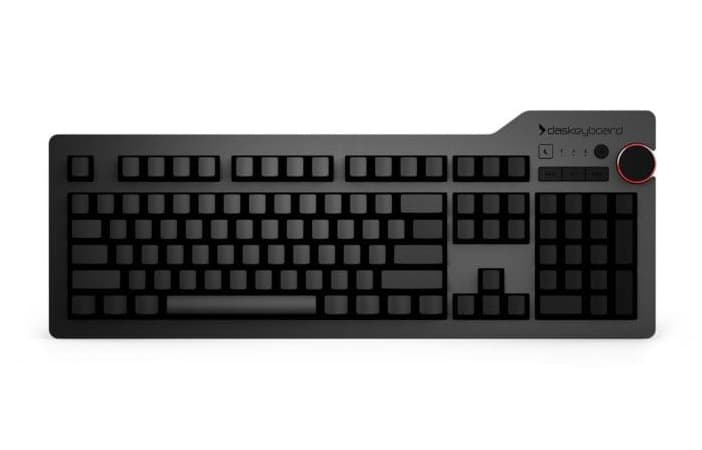
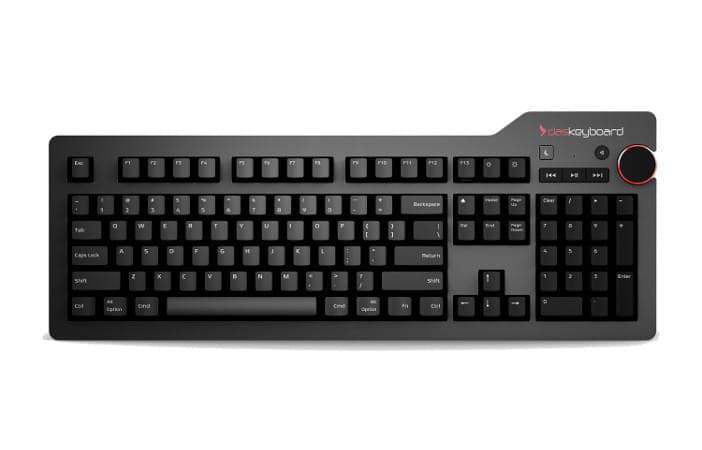
The Das Keyboard 4 Professional for Mac is a premium mechanical keyboard designed specifically for Mac users. It features a native Mac layout with Command and Option keys in the right positions, Cherry MX2A mechanical switches, an aluminum top panel, and a two-port USB 3.0 hub for a seamless experience.
Experience the Das Keyboard difference
Watch the Das Keyboard 4 Professional for Mac in action.
Technical specifications
Product information
Cherry MX2A mechanical key switches with gold contacts
Dedicated media controls with oversized volume knob
Two-port USB 3.0 SuperSpeed hub - Up to 5Gb/s, 10x the speed of USB 2.0
Mac OS specific key functions
Instant sleep button to save energy
UV hard coat-protected key caps to prevent fading
More product information
104-key US layout, 105-key DE layout
Anodized aluminum top panel
Extra long 6.5 ft USB cable with single USB type-A connector
Dimensions: 18 x 6.8 x .80 inches
Elevated height: 1.2 inches
Weight: 2.9 lbs
Even more product information
NKRO over USB for faster typing and programming
Footbar to raise keyboard also functions as a ruler (you'll thank us later)
Das Keyboard uses best-in-class, Cherry MX2A mechanical key switches that provide tactile and audio feedback so accurate it allows you to execute every keystroke with lightning-fast precision. Its high-performance, gold-plated switches provide the best contact and typing experience because, unlike other metals, gold does not rust, increasing the lifespan of the switch.
Force diagram soft (Brown)
Force diagram clicky (Blue)
Soft Tactile - Cherry MX Brown
A quiet, tactile bump for precise actuation without the audible click.
Clicky - Cherry MX Blue
The Cherry MX blue switches have a “clicky” tactile bump when the activation point is hit. This feedback helps to increase typing speed by reducing effort needed to push the keys all the way down. The Cherry MX blue switch is the most “clicky” of the Das Keyboard line.
Dedicated Media Controls
With its large volume knob, Das Keyboard 4 for Mac allows users to quickly adjust volume while on a Skype call, in a Google hangout, or streaming online music. The Das Keyboard 4 for Mac also provides quick access to dedicated media controls such as mute, play, pause, next and previous track.
Be kind to the earth by putting your computer to sleep with the quick-access instant sleep button. Not only will you save energy, but by putting your computer to sleep, you save time and can be up and running much faster than if you shut down and restart.
USB 3.0 SuperSpeed Hub
Need to transfer videos to your workstation but don't have time to wait all day for file transfers to complete? Don't worry. Das Keyboard 4 for Mac has a blazing fast two-port USB 3.0 hub to transfer music, high resolution pictures and large videos at up to 5Gb per second. That's 10 times faster than USB 2.0. It is backwards compatible with all USB 2.0/1.1 devices and hosts.
Full N-Key Rollover
Programmers and fast typists will love to hear that Das Keyboard 4 for Mac supports full n-key rollover (NKRO) over USB. No need to use a PS2 adapter anymore. Just press shift + mute to toggle NKRO.
Readable Font & UV Keycaps
The Das Keyboard 4 Professional for Mac has UV hard coat-protected key caps to prevent fading. The UV hard coating, silk screened legends and new printing process allows for extra durable inscriptions. Das Keyboard's font looks modern while keeping some of its lines from older, well established fonts.
Built-in Ruler & Magnifier Feet
We got tired of those itty bitty plastic keyboard feet. The magnetically attached Das Keyboard footbar raises the keyboard to an optimal 4-degrees. It looks sharp and can be used as a precise ruler when not in use as a footbar.
Every Detail Matters
Das Keyboard 4 Professional for Mac sports a 6.5ft cable that goes through desk grommets to keep your workspace neat and tidy. Featuring a slick anodized aluminum top panel, a resonance-free bottom enclosure, and a laser-engraved aluminum bottom label… all which make the design feel more satisfying.